
When I was learning to play electric guitar, back in the 90’s, you generally bought an amplifier along with your first guitar. It’s fair to say that it would not be the best sounding amplifier and you were limited with the tones that you would be able to produce with it. If you wanted to change the sound beyond this, you would have to start investing in pedal effects. As a beginner guitarist, this can be quite an investment, maybe more than you want to spend, and also it could be quite daunting, how do you know what effects make what sounds? What you actually want as a beginner is the freedom to explore, lots of different sounds and effects and preferably at a reasonable price. Simply put, the Positive Grid range of Spark amplifiers is just that. The range includes the Spark Neo, Spark, Spark 2, Spark Mini and Spark Edge, but the Spark Go is the one I want to talk about today as I think it is the most suitable for the beginner guitarist. I would have loved something like this when I was starting out!
So what is it?
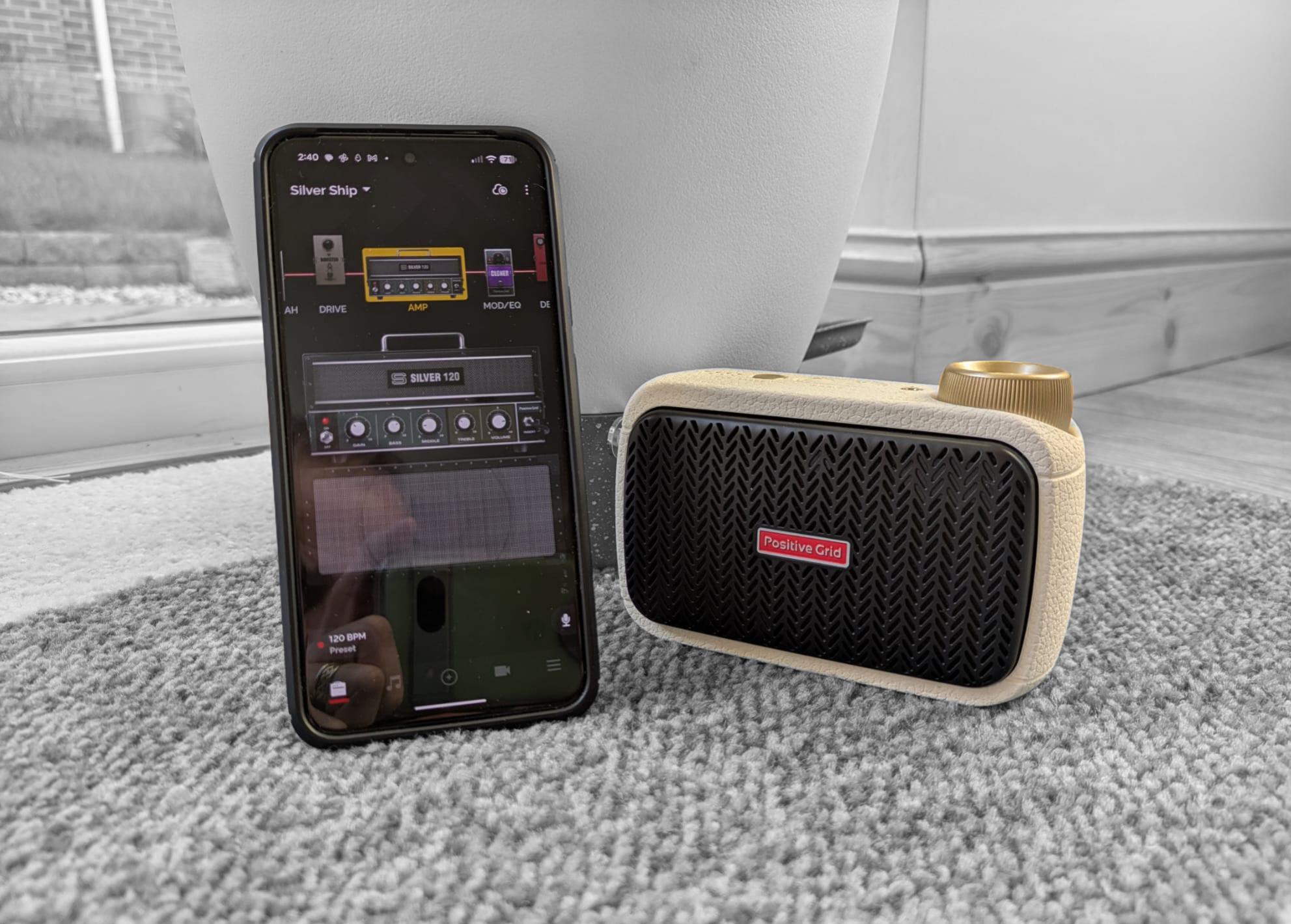
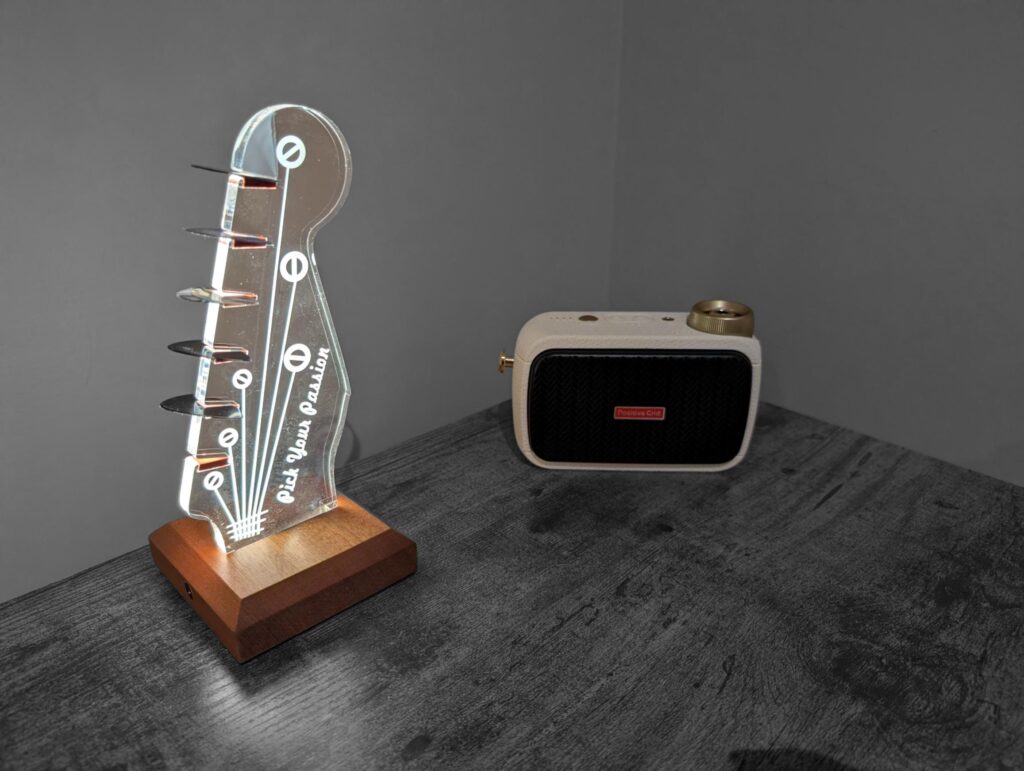
The Spark Go is a 5W smart amplifier, it uses software to model the sounds of effects and amplifiers through a 2″ built in speaker. The amp itself is tiny, it measures about 9cm tall (3.5″), 13.5cm long (5.25″) and is 5cm deep (2″). The Spark Go comes in two colours, black and an off white. It features 33 different amplifier models and 43 different effects. It works with your phone, using the Positive Grid Spark app, to select an amplifier and an effects chain. It has a 24 pre-loaded configurations for you to try out and you can customise and save your own which can be assigned to one of four channels. In addition to this the Spark App provides access to the Tone Cloud where a community of Spark users upload their own tones built up from various configurations which are all downloadable to your device.
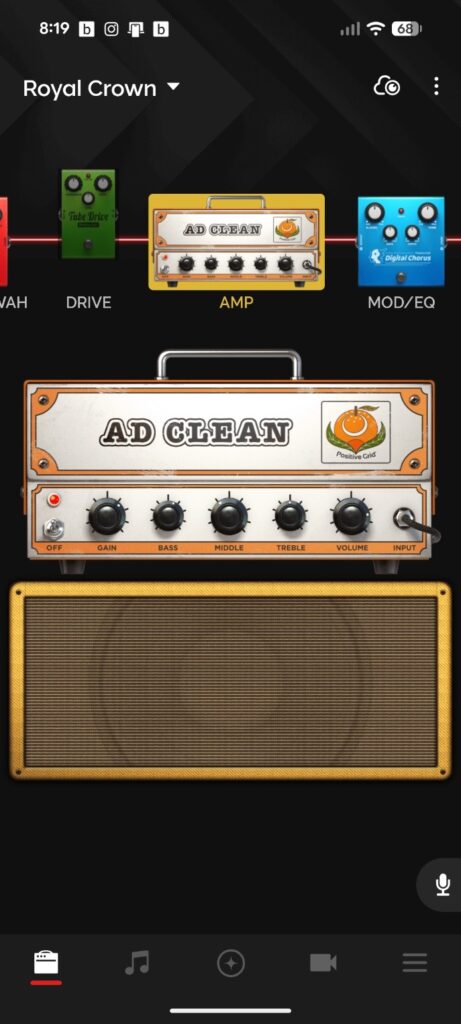
Beyond this it also features a tuner, metronome, an AI assistant, Auto Chords (play the song you want to learn through the app, the app analyses the song and displays the chords) and Smart Jam (play a song idea and the app will provide an AI written bass and drum backing track for your chord progression).
If this wasn’t enough, it also functions as a portable Bluetooth speaker for you to play tunes from your phone through and it is light enough carry anywhere.
The Spark Go feels well built and solid, the input jack/volume knob is sturdy it looks and feels good to turn. The casing side, top and bottom is made from a kind of rubberised plastic that feels like it would withstand being dropped a time or two.
What’s in the box?
The Spark Go arrives with a couple of things that are worth mentioning.
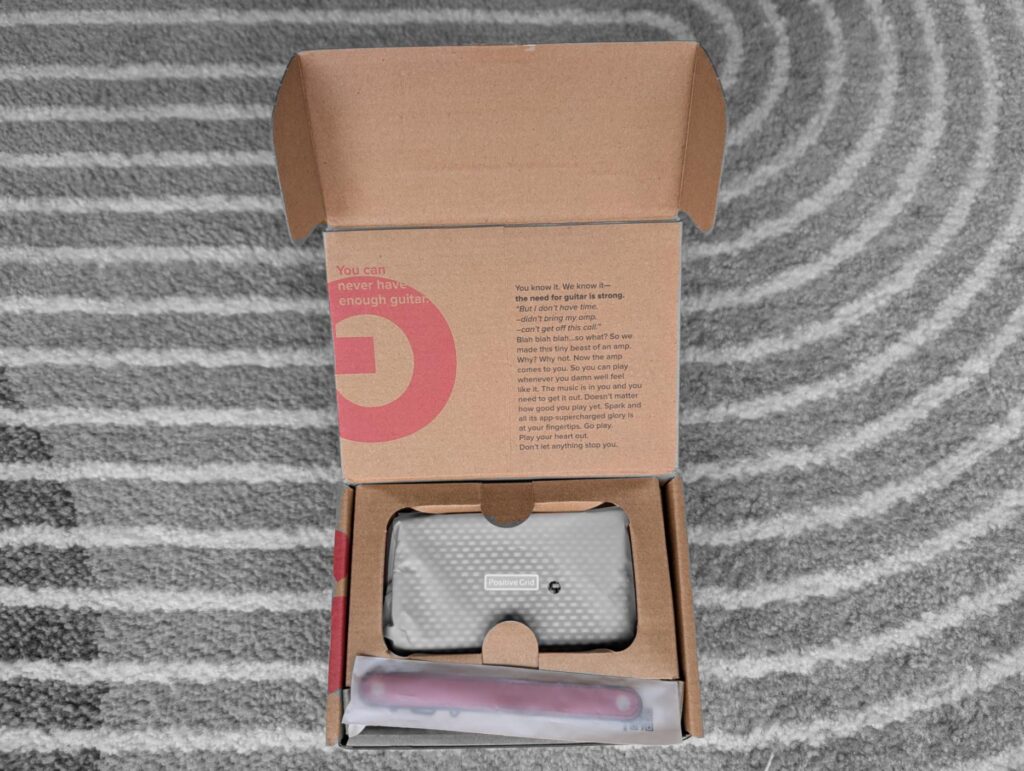
Firstly, it comes with two different style grille covers, they are easily replaced, the front grille is held on via a couple of small magnets. Secondly, it comes with a couple of carrying straps, again different colours, so you can modify the look of the amp slightly. Finally, a USB C charger cable is included in the box. A full charge can give you up to eight hours use according to Positive Grid. Also the USB-C cable can be used to connect to your PC and download software updates.
How do you use the Amp?
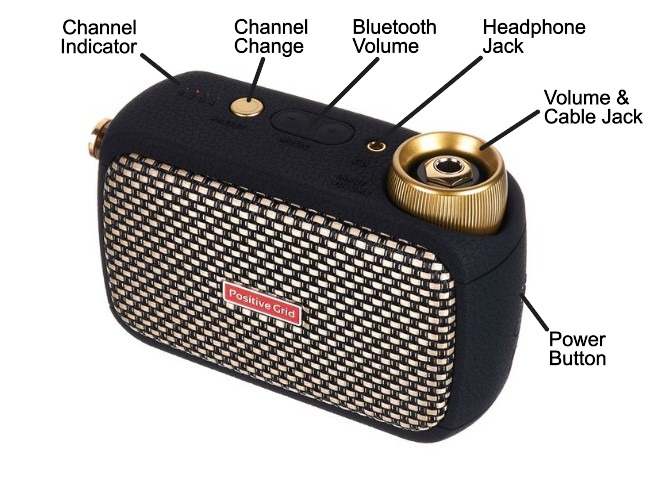
The Spark Go is really simple to use once paired with your phone, which is the normal Bluetooth pairing process. Plug your guitar into the amp via the cable jack, turn on using the power button, if you don’t connect to the app, the amp will default to the pre-sets last loaded into the four channels. You can change channels sequentially by pressing the channel button and to alter the volume simply twist the gold volume/jack knob. The Bluetooth volume button only works when your using the amp as a Bluetooth speaker.
What’s my favourite feature?
The feature that impresses me most is the AI assistant. One of the most frustrating things about being a guitarist is searching for “that tone”. One day you love how your guitar sounds, the next you want to set fire to the damn thing because no matter what you do it sounds like a bag of angry hornets. The AI assistant helps you find the tone you want and sets up the amplifier and effects chain into a pre-set which you can return to at any time.
To demonstrate this I recorded three samples. In the interests of total openness, I’ve recorded the sample clips in a digital audio workstation (DAW) called Reaper. The Spark Go was close mic’d using a single SM57 microphone and interfaced to the computer using a Scarlet 2i2 audio interface. Where the AI provided digital delay or reverb effects, I’ve turned them off and reproduced them as closely as possible in Reaper, this was done to give the guitar part a wider stereo image which would be impossible if I used the Spark Go effects. The bass was played and recorded by myself using various plugin effects in the DAW and the drums were recorded using Steven Slate Drums SSD5 which is a drum sequencer. Finally, there are various audio plugins in use i.e. compressors, parametric EQs etc, but no more than what you would hear on a normal record and I am in no way a professional audio engineer, I’m an intermediate amateur at best!
For the first demonstration I asked the AI assistant to provide an AC/DC tone for the song Back in Black. I think the AI produced a reasonable facsimile of the AC/DC tone, see what you think!
For the second demonstration I asked the AI assistant to provide a tone for the track Sisters by Steve Vai. This tone is clean with a bit of reverb and delay thrown in on the original record. My honest opinion is that the AI couldn’t quite get this one right, there wasn’t enough reverb and delay added into the chain and when I replicated it in Reaper, I did end up tweaking these up a bit. however, the end result isn’t too bad.
For the third demonstration I asked the AI assistant to produce the rhythm tone Izzy Stradlin used in Sweet Child o Mine by Guns N’ Roses and the lead tone used by Slash. I think it got Izzy’s rhythm tone about right, but it definitely overcooked, the lead sound with too much gain (distortion) and I ended up turning that down a lot.
All in all the AI assistant certainly gets you fairly close to the tones you want. There may a bit of adjustment needed to get you the rest of the way, but it’s definitely removes a lot of the hassle of experimenting with different amplifiers and effects to get the sound you want.
It’s really small, how loud can it actually go?
If you are a beginner, there are loads of guitar amps on the market which will do absolutely fine for learning to play, usually these amps are 10-15 Watts and go far louder than you actually need for learning and practice. Yes, the 5W Spark Go won’t be as loud as these amps, but it is loud enough to be heard in a room comfortably.
I measured the volume approximately 3m away from the speaker. The speaker was pointed away at 90 degrees and I measured around a peak 80db noise level on the default clean setting. At this volume you could hear the speaker distorting slightly. This is louder than I would normally play for practice.
It’s alright me quoting an 80db noise level, but how loud is it? Well, according to Control of Noise at Work regulations 2005 which, ironically, excludes the music and entertainment sector you must provide workers with information and training when exposed to an 80dB level regularly, although hearing protection isn’t required until levels reach 85db. so you’ve been warned, don’t turn it up too loud!
So the answer is, its loud enough for practicing in a room and it won’t annoy your neighbours too much.
Accessories
If needed the Spark Go is compatible with a wider ecosystem of accessories produced by Positive Grid.
Spark Control X – A 6 switch wireless pedal for changing presets, toggling effects, and controlling backing tracks.
Spark Link – A wireless transmitter/receiver system to remove cable clutter.
Spark Cab – A 140W cabinet designed to make spark amps louder for live performances.
Spark Go Carrying Case – a snug fitting carrying case designed for the Spark Go.
In addition to the Spark Cab, if you already have an amp lying about you can connect it to the Spark Go. The recommended way is to connect the 3.5mm jack on the Spark Go to the return input for the FX loop on your bigger amp. You will probably need an adapter to get from the 3.5mm jack to the 1/4″ Jack on your amp.
Is there anything I don’t like?
Despite all the good things about the Spark Go, there are a couple of issues that irk me.
The Spark App occasionally disconnects from my phone when I move it to the background to look at another app, what makes things worse is it won’t then connect to the amp again when I restart the app and I have to completely restart the amp and app again to get it re-connect. To be fair there is an update pending for my Spark Go that I haven’t bothered with, so this may fix the issue.
This issue may be particular to me rather than the beginner guitarist, but allegedly you can use the Spark Go as an audio interface for recording into a DAW, but I haven’t figured out how to make this work in Reaper, which is my DAW of choice! I believe it works for Studio One as there are videos on the Positive Grid Website demonstrating its use.
Final Thoughts
It is possible to buy cheaper practice amps aimed at the beginner for half the price of the Spark Go (around £95 at the time of writing this post on Amazon UK). But, with all the available tone settings and features, the Spark Go offers a lot more versatility. If you were to buy the physical versions of the effects pedals alone, it would be many more times the price of the Spark Go.
Additionally, the Spark Go is a system that can be expanded as your playing progresses to include a setup that is perfectly viable for practicing in a band or playing live.
I hope you have found this review of the Spark Go useful. If you think the Spark Go may be right for you, and you would like to purchase one. Would you please consider buying it through the link on my recommended kit page as it goes to help support this website.